
How to Create a TikTok Talking Head Overlay in 3 Simple Steps (Free and Actually Works)
April 15, 2026
I resisted it longer than I really should have because I like being the other side of the camera. I knew I needed to show up more, but every time I tried to create a simple TikTok talking head overlay video over my photos, it felt weirdly complicated. Too many apps, too many steps, and too much time for something that should be quick. Searching on Google was futile so I just had to go ahead and trial and error it. I’m by no means an expert with tiktoks (whereas I am rated one of the best photographers) but sharing is caring when it comes to simplifying workflow for photographers. Community > competition.
There’s been a shift, and if you’re a wedding photographer you’ve probably felt it. Couples are not just booking portfolios anymore. They are booking people. In a way this is great, because although all of our photographs can be subjectively beautiful, we are all different people. Clients want to know how you sound, how you think, and what it might feel like to have you around on a wedding day. Especially Gen Z couples, who are spending far more time on TikTok than they are on Google.
Side note, looking for a wedding photographer? That’s my main thing aside from giving you some TikTok tips. Give me a follow on TikTok or get in touch.
Anyway, this is the simple version. No fluff. No paid apps. Just how to create a clean talking head overlay video using TikTok itself.
Why this style of video actually works
Before we get into the how to create a TikTok talking head overlay, it’s worth understanding why this format matters.
A talking head over your work does two things at once. It shows your personality, and it reinforces your credibility all whilst growing your confidence. You are not just saying you’re good at what you do, you are literally talking over proof of it.
It feels natural. It feels human. And importantly, it builds trust quickly.
You don’t need to be perfect or think you won’t be able to avoid mistakes. You do need to be clear and present.
Step 1: Create your background (your photos)
This is your foundation for a TikTok talking head overlay video. Keep it simple.
You have two easy options:
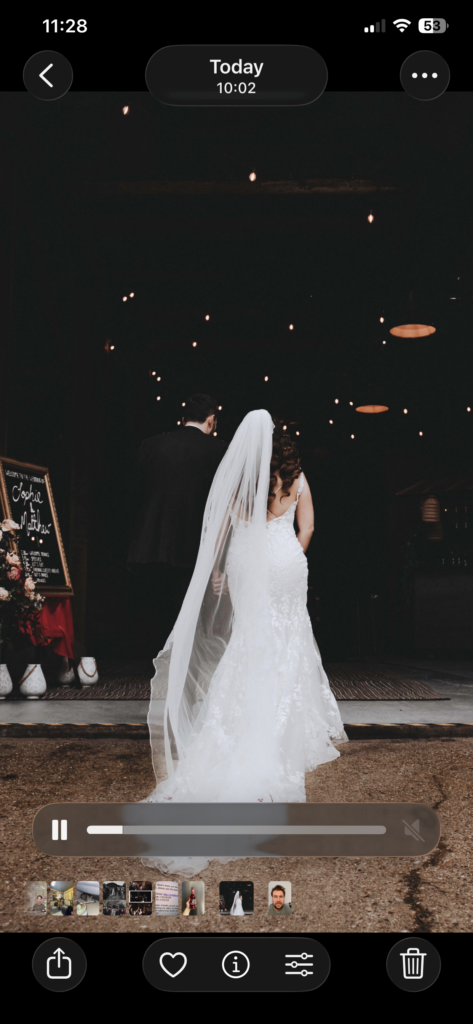
Option 1: Screen record your photos
- Put your favourite images into an album on your phone
- Start a screen recording
- Swipe through each image at the pace you want
- Stay on each photo for a few seconds so it does not feel rushed
This is the quickest way to do it. Slightly rough, but completely usable.
Option 2: Use a simple editing app
- Drop your images into CapCut or Edits by Meta
- Set each image to a consistent duration
- Export as a video
This gives you a bit more control over timing and flow.
Either way, you now have a video file that will act as your background.
Side note, if you are looking for a photography mentor come and get in touch.
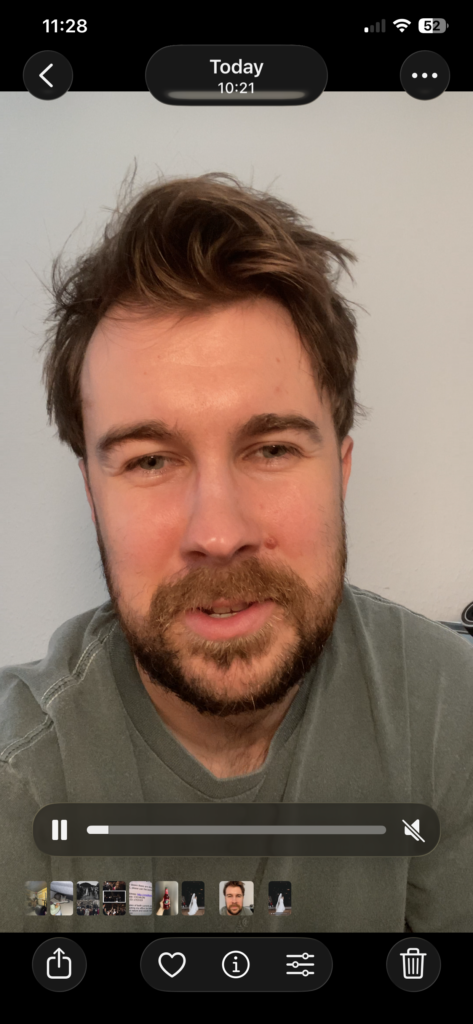
Step 2: Record your talking head
This is the part of the TikTok talking head overlay video that most photographers overthink.
You don’t need a studio. You do need clarity.
Find a clean background. Stand near a window if you can. Natural light is your best friend here.
A few things that make a big difference:
- Plan what you are going to say
Not a script, just a rough structure. Know your opening line and your main point. - Keep your pace up
TikTok rewards energy. If you speak too slowly, people will scroll. - Look at the lens, not yourself
It feels awkward at first, but it reads as direct and confident. - Keep it short
10 to 30 seconds is more than enough.
Record this as a separate video. Don’t worry about syncing yet.
Step 3: Build it inside TikTok
This is where it all comes together for your TikTok talking head overlay video, and it’s easier than it looks.
- Open TikTok and tap the +
- Upload your background video (your photo slideshow)
- On the right-hand side, tap Edit
- Remove any suggested music. You don’t need it
Now add your talking head:
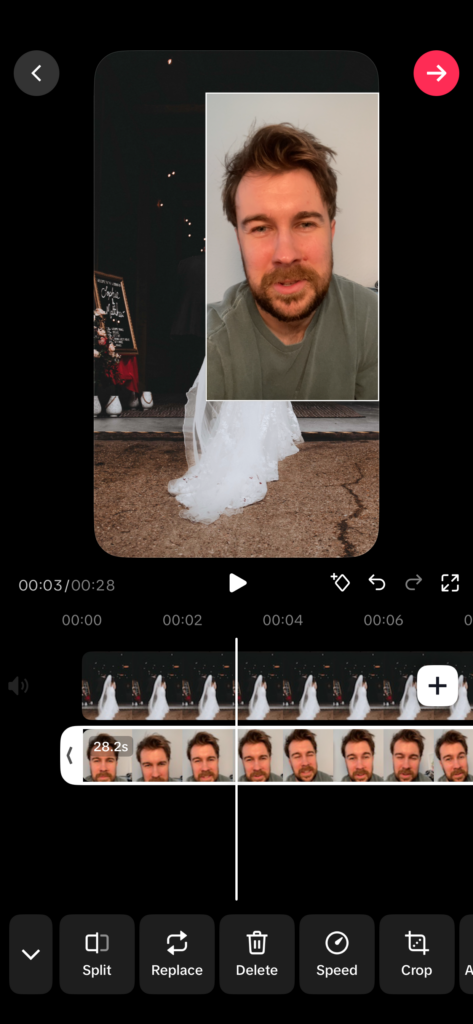
- Tap Overlay
- Upload your talking head video
- Resize and position it where it feels natural
Now adjust timing:
- Match the length of your background to your talking head
- If your talking runs longer, slow down the background slightly
- If it’s too long, trim it back
Finally, add captions:
- Tap Captions
- Let TikTok auto-generate them
- Use Remove filler words
- Split & cut the talking head video wherever you would like to move the head, then move it at the start of each split clip
This last step is surprisingly powerful. It tightens your delivery and subtly improves pacing.
You can add sound effects, filters, and zooming but this all additional extras.
Just keep an eye on timing afterwards. Removing filler words can slightly shift the length, so make sure your visuals still line up.
A quick note on authenticity
This format only works if it feels like you.
You don’t need to perform for the TikTok talking head overlay video. You don’t need to be louder than you are in real life.
You just need to be clear, honest, and willing to be seen.
That’s the uncomfortable bit for most photographers. We’re used to being behind the camera, not in front of it. But the photographers who are growing right now are the ones bridging that gap.
They are showing their work, and showing themselves alongside it.
Here’s the final TikTok I made. I have literally just posted it on 15.4.26 but will keep you posted how it performs.
What to actually talk about
If you’re stuck, start here:
- Talk through a wedding moment, your niche, your location (i.e, Kent wedding photographer) and what was happening behind the scenes
- Explain how you approach natural photos without awkward posing
- Share something a couple said to you that stuck
- Show how you master wedding lighting or another skill
- Break down one image and why it matters
Keep it grounded. Keep it specific to your niche. That’s what your people connect with.
Final thought
This does not need to be perfect to work, it’s a start to begin showing your face.
Your first few will feel awkward. That’s normal. The goal is not to go viral. The goal is to become recognisable and trustworthy to the kind of couples you want to attract.
And this format, simple as it is, does exactly that.
You’re not just showing your work anymore. You’re giving people a sense of what it’s like to have you there and THAT is what distinguishes you from your competition.
That’s what books luxury weddings.
Follow me on TikTok to watch my journey of showing my face more to potential clients.
